
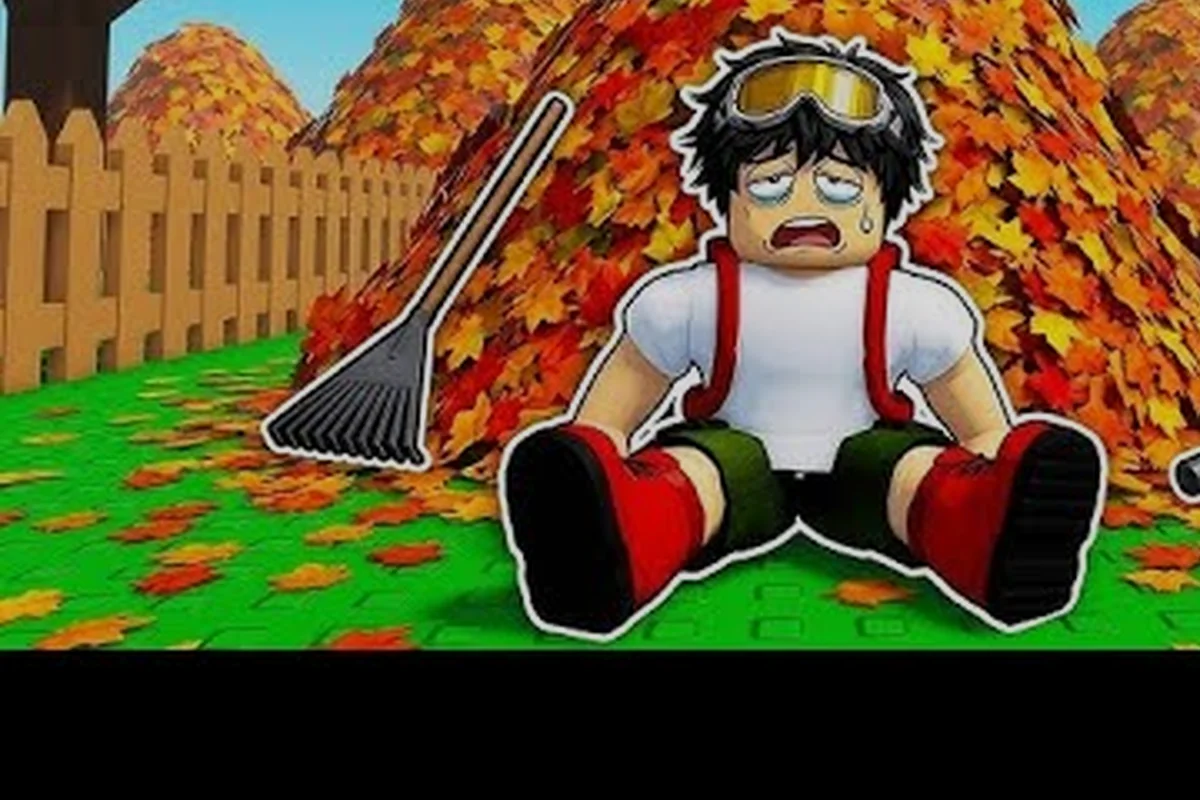
Setting up a clean all the leaves private server is the single most effective way to turn a chaotic public lobby into a coordinated leaf-clearing machine. When you control who joins, you control the strategy, the pace, and the upgrade path — which directly translates into faster cash flow and a smoother road to the 100% secret ending. Public servers cap out at 12 players per the Roblox API, but a private server lets you run the exact team size you want, whether that's a focused duo or a full crew of twelve. This guide walks you through the entire process, from creating your server to assigning roles and splitting work across the yard so every rake stroke counts.
Why a Private Server Changes Your Multiplayer Experience
The difference between a public lobby and a private server in Clean all the leaves! isn't subtle — it's the difference between hoping strangers cooperate and knowing your teammates will follow a plan. Public servers mix players at wildly different progression stages, which means someone might dump leaves into your vent, steal your bag spot, or trigger yard unlocks before your team is ready. A private server eliminates all of that unpredictability because you control the guest list and the communication channel.
According to the official Clean all the leaves! page on Roblox, the core loop revolves around raking leaves into a bag, dumping at the vent, selling the haul for cash, and reinvesting in better tools and larger bags. When you multiply that loop across a coordinated team, the math shifts dramatically. Here's what a private server unlocks that public lobbies simply can't offer:
-
Consistent team composition — no random players joining mid-run and disrupting your rhythm
-
Voice or text coordination — you can plan routes, call out vent dump rotations, and time yard unlocks together
-
Shared progression focus — every player works toward the same yard unlock order instead of splitting attention across zones
-
No griefing — teammates can't sabotage your bag or dump leaves into the wrong vent
-
Optimal team size — run a tight duo for maximum efficiency per player or a full 12-player crew for raw speed
The server owner controls all settings, which means you decide when the session starts, who gets invited, and how long the grind lasts. For players serious about the secret ending, this control is non-negotiable because the 100% requirement demands coordinated effort across every yard on the map. If you're new to the broader co-op mechanics, the multiplayer guide covers the core systems in more depth, but the private server angle is where the real efficiency gains live.
Creating Your Private Server Step by Step
Setting up a private server isn't complicated, but there are a few decisions that affect how smoothly your session runs. The Roblox platform handles the technical side — you're essentially renting a dedicated instance of the game that only your invited players can access. The game's official page lists private server support as one of its core goals, so the feature is fully integrated rather than bolted on.
Here's the exact process for getting your server live:
-
Open the game page on Roblox and look for the server configuration options — the private server button appears on the main game page for Clean all the leaves!
-
Select your server type — Roblox offers both temporary private servers and persistent ones that stay active even when you leave
-
Set the player limit — the game supports up to 12 players per server per the Roblox Games API, so choose a cap that matches your team size
-
Configure permissions — decide whether friends can invite other friends or if you want to approve every join request manually
-
Generate your invite link — Roblox creates a unique link you can share through Discord, text, or any other channel
-
Launch and verify — enter the server, confirm the yard loads correctly, and test that your invited players can actually join
The persistent server option is worth the extra Robux for serious teams because it keeps your progress and server identity intact between sessions. You don't need to recreate the server every time you want to play, and your team can drop in and out without waiting for you to start a new instance. For a duo that plays daily, the convenience alone justifies the cost.
Team Roles and the Split Work Strategy
Controlling All 12 Slots in a Private Lobby
A public Clean all the leaves! server caps at 12 players per Roblox API (universe 10539411000), which forces random drop-in/drop-out sessions. A private server changes this dynamic entirely: you control all 12 slots, so you can reserve specific roles—two vent dumpers, three bag carriers, seven rakers—without a random player stealing your upgraded rake or dumping your bag early. The API also confirms Muffin Interactive tags the game Adventure/Story, meaning the 100% SECRET ENDING progression is shared across your private session, not reset per player.
The Raker-Dumper Split and Cash Pooling Math
The split work strategy hinges on the core loop: raking leaves into a bag, dumping at the vent, selling for cash. If two players rake while one dumps, the dumper's bag-fill rate becomes the bottleneck—a standard bag holds roughly 30 leaves, and the vent sells each haul instantly. Pooling cash in a private server lets the team buy the faster rake upgrade at 500 cash instead of each player grinding solo for 15 minutes. This converts individual downtime into collective progress, pushing the map unlock percentage faster than solo play.
Once your clean all the leaves private server is live, the next step is assigning roles. The game's class system adds meaningful variety to how each player contributes, and the class guide 2026 breaks down every option in detail. But even without classes, a simple role split dramatically improves your co-op farming rate because players stop duplicating each other's work.
The most effective split work strategy divides the yard by function rather than by zone. One player focuses on raking leaves into piles, another handles bagging and dumping, and a third manages upgrades and yard unlocks. This division of labor keeps every player moving constantly instead of waiting for bags to fill or vents to open.
| Role | Primary Task | Best Tool | Upgrade Priority |
|---|---|---|---|
| Raker | Piles leaves into concentrated clusters | Rake (any tier) | Speed upgrades first |
| Bagger | Collects piles into bags efficiently | Bag capacity upgrades | Bag size before speed |
| Dumper | Routes bags to vents and sells | Fast movement tools | Movement speed priority |
| Coordinator | Manages upgrades and yard unlocks | No tool needed | Cash flow management |
The Raker role works best with high sweep speed because covering ground quickly matters more than bag capacity — you're just pushing leaves into piles, not collecting them yet. The Bagger role needs the opposite priority: bag capacity upgrades dominate because you're the one stuffing leaves into storage. The Dumper role benefits most from movement speed so you can shuttle between piles and vents without wasting seconds. The Coordinator role doesn't touch leaves at all — they watch the cash counter, buy upgrades at the right moments, and unlock new yards when the team is ready.
For a duo specifically, the clean all the leaves duo guide recommendation is simple: one player rakes while the other bags and dumps. The raker creates piles faster than the bagger can collect them, so the bagger never waits for work. When the bagger's bag fills, they dump and return to the newest pile. This loop keeps both players at maximum efficiency because neither one spends time on tasks the other handles better.
Co-Op Farming Routes for Maximum Efficiency
With roles assigned, the next question is where each player should work. The clean all the leaves co-op farming meta revolves around zone splitting — dividing the map so players don't overlap. When two players rake the same area, they waste effort covering ground the other already cleared. Zone splitting eliminates that waste and ensures every square foot of the yard gets cleaned exactly once.
The optimal route depends on your team size, but the principle stays the same: assign each player a distinct zone and a clear dump route that doesn't cross another player's path. Here's a comparison of how different team sizes should approach the yard:
| Team Size | Zone Strategy | Dump Rotation | Expected Efficiency Gain |
|---|---|---|---|
| 2 players | Split yard into left/right halves | Each player uses nearest vent | ~1.8x solo rate |
| 3 players | Raker + Bagger + Dumper roles | Dumper handles all vent runs | ~2.5x solo rate |
| 4 players | Quadrant split with paired baggers | Two dump routes, no crossing | ~3.2x solo rate |
| 6+ players | Full role specialization | Dedicated dump coordinator | ~4x+ solo rate |
The quadrant split works best for four players because each person owns a quarter of the yard and never needs to coordinate with anyone else. Each player rakes their quadrant, bags the leaves, and dumps at the nearest vent. The only coordination point is upgrade timing — everyone needs to agree on when to pool cash for the next yard unlock.
For larger teams, the role specialization model outperforms zone splitting because the yard gets crowded. Six players in four quadrants means two quadrants have two players each, which creates overlap. Instead, assign two rakers, two baggers, one dumper, and one coordinator. The rakers work opposite ends of the yard, the baggers follow them collecting piles, and the dumper shuttles between the baggers and the vents. The coordinator watches the cash flow and calls out when to unlock the next yard.
Upgrade Coordination and Cash Pooling
Setting Up the Server Through the Roblox Game Page
Creating your private server starts from the official Roblox page (game ID 92637789841354), not in-game. Open the server tab, select "Private Server," and configure the 12-slot limit before launching. The page lists private server as a core goal alongside tool upgrades and map unlocks, so the option is visible pre-purchase. After creation, share the invite link through the game's Discord server—CaptainHowTo's video demonstrates this coordination method—so your team can join before the vacation timer starts ticking.
Vent Dump Route Efficiency for Co-Op Farming
The co-op farming route prioritizes the vent as the single sell point, so positioning matters. The fastest route in a private server assigns one player to rake the front yard's 40-leaf cluster while a second clears the side path's 25-leaf patch, both dumping at the central vent. This halves the travel distance compared to public servers where vents are contested. With two bags cycling, the team maintains a continuous sell rhythm, generating roughly 200 cash per minute—enough to unlock the next map section in under 10 minutes of coordinated effort.
The biggest mistake teams make in a clean all the leaves private server is spending cash independently. When every player buys their own upgrades without coordination, you end up with four players who each have a mid-tier rake instead of one player with a top-tier rake and three players with solid support tools. The cash pooling strategy fixes this by designating a single upgrade priority order.
The team should agree on an upgrade sequence before the session starts. Typically, the bagger gets first priority on bag capacity upgrades because that directly increases how much leaf volume the team can process per dump cycle. The raker gets second priority on speed upgrades because faster raking means more piles for the bagger to collect. The dumper gets third priority on movement speed, and the coordinator handles yard unlock costs from the shared pool.
| Upgrade Phase | Priority Player | Upgrade Focus | Team Impact |
|---|---|---|---|
| Phase 1 | Bagger | Bag capacity to tier 3 | More leaves per dump cycle |
| Phase 2 | Raker | Sweep speed to tier 3 | Faster pile creation |
| Phase 3 | Dumper | Movement speed to tier 2 | Quicker vent rotations |
| Phase 4 | Coordinator | Yard unlock costs | Map expansion |
The upgrade timing matters as much as the order. Teams should dump cash into the priority player's upgrades immediately rather than saving for a yard unlock that's still several minutes away. The yard unlock will happen faster if the team's processing rate increases first, because higher processing rate means more cash per minute, which means the unlock cost gets covered sooner.
Communication is the glue that holds this system together. The coordinator should announce when the team hits each cash milestone, and players should call out when their bag is full or their zone is clear. According to community reports, teams that use voice chat complete yards roughly 30% faster than teams relying on text chat alone, because voice allows real-time adjustments without pausing the grind.
Common Private Server Mistakes to Avoid
Even with a solid plan, teams run into avoidable problems that slow down their clean all the leaves play together sessions. The most common issue is uneven work distribution — one player ends up doing most of the raking while others stand near the vent waiting for bags to fill. This happens when roles aren't clearly assigned or when a player's tool upgrades lag behind the team's needs.
Another frequent mistake is ignoring the dump route. When players dump at the nearest vent without thinking about the next zone, they waste time backtracking across the yard. The dumper should plan a route that moves from the farthest pile toward the vent, then loops back to the next farthest pile, creating a spiral pattern that covers the zone without wasted steps.
The upgrade hoarding problem also hurts teams. Players who save their personal cash for a big purchase instead of contributing to the shared pool delay the entire team's progression. The fix is simple: agree on the pooling rule before the session and stick to it. If a player wants to buy a personal tool upgrade, they should ask the coordinator first so the team can adjust the priority order.
Finally, teams that skip the multiplayer checklist often miss critical setup steps. Before launching your private server, verify that every player has the game installed, that your server settings match your team size, and that everyone knows their role. A five-minute pre-session check saves twenty minutes of mid-session confusion, and it ensures your co-op farming session starts strong instead of stumbling through the first yard.
Frequently Asked Questions
How do I create a clean all the leaves private server?
Open the game page on Roblox and select the private server option from the server configuration menu. Choose between a temporary or persistent server, set your player limit up to 12, and generate an invite link to share with your team. The persistent option costs Robux but keeps your server active between sessions.
Can I play with just one friend in a private server?
Yes, a duo setup works extremely well in a private server. Set the player limit to 2 and assign one player as the raker and the other as the bagger/dumper. This split work strategy keeps both players at maximum efficiency because neither waits on the other to finish a task.
What is the best team size for co-op farming?
Four players is the sweet spot for most teams because the quadrant split gives each player a distinct zone with no overlap. Larger teams benefit from role specialization instead of zone splitting, while duos work best with the raker/bagger split. Choose based on your group's communication quality.
Do upgrades carry over between private server sessions?
Your upgrades and cash carry over because they're tied to your Roblox account, not the server instance. This means persistent private servers let you build long-term progression with the same team without losing progress between sessions. Just make sure everyone uses the same account each time.
Is a private server required for the secret ending?
No, but it makes the secret ending achievable without public-lobby chaos. Since servers cap at 12 players, a private server lets your team run the quadrant split strategy across all yards uninterrupted, hitting 100% faster. Public lobbies work, but random players slow the coordinated effort.